You can freely edit data that has already been saved in Mana MES. This guide explains how to edit Machine Data, Process Data, Production Routes, and SKU data.
General Editing Process
To edit any master data:
(ปุ่มแก้ไข)
(อัปเดตข้อมูล)
Editing Machine Data (การแก้ไข ข้อมูลเครื่องจักร)
Locate the machine you want to edit in the ข้อมูลอุปกรณ์ (Equipment Data) menu.
Click the Edit button (ปุ่มแก้ไข) for that machine.
Modify the machine details (process name and other information).
แก้ไขข้อมูลในช่องที่ต้องการและคลิก "บันทึก"
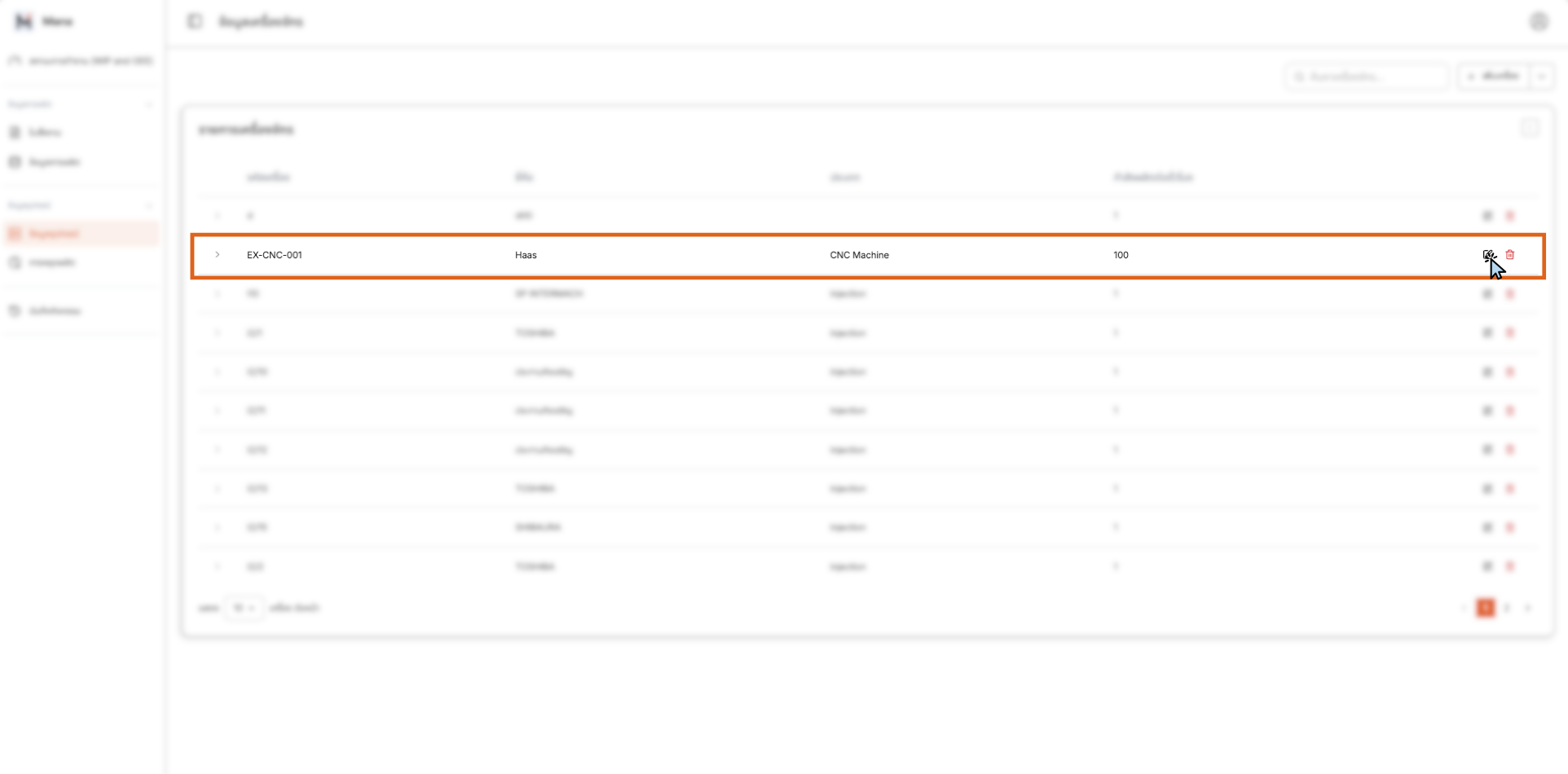
Editing Machine Data - Locating and Selecting Machine
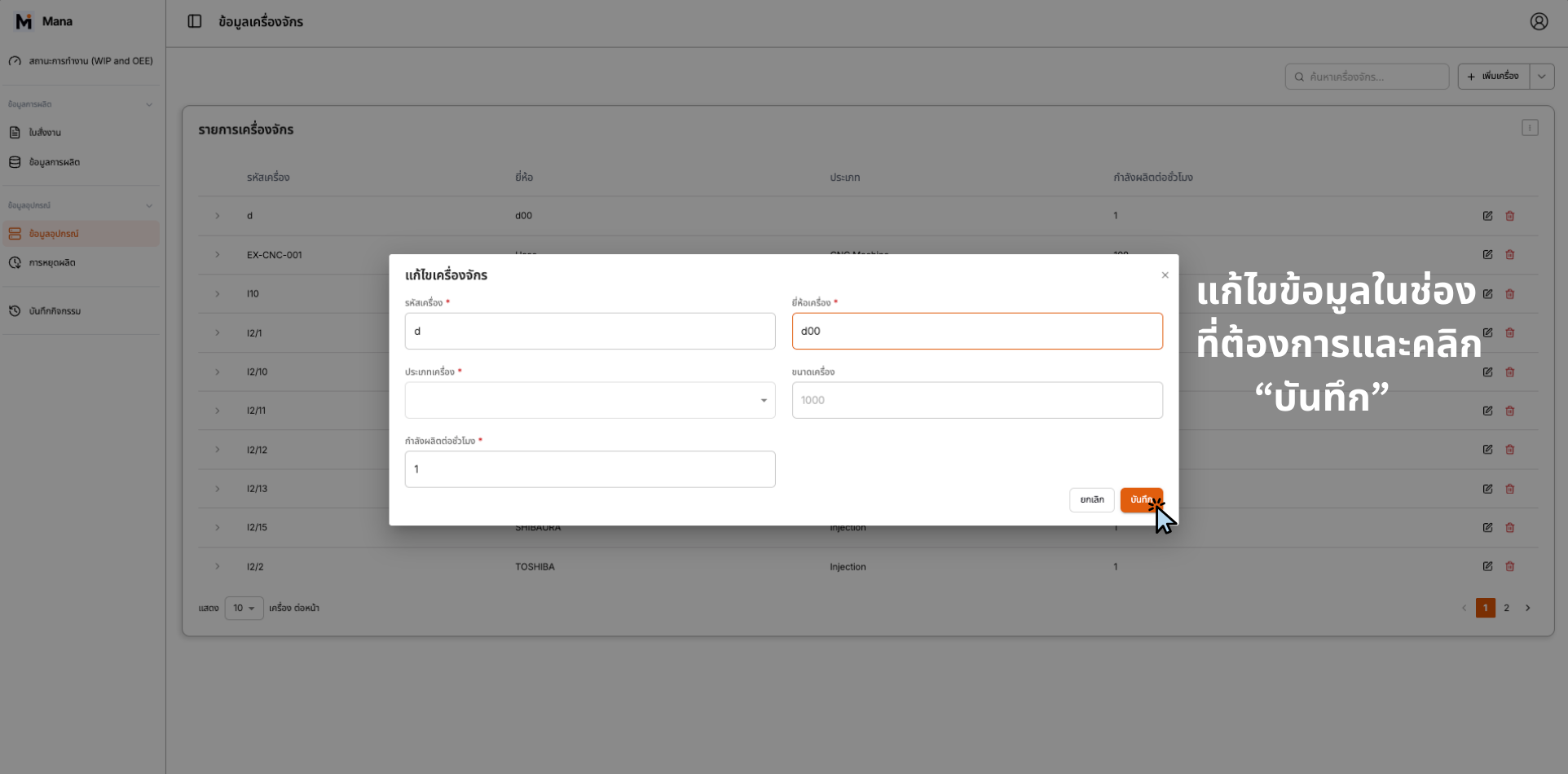
Editing Machine Data - Edit Form
- ☑ Navigate to Equipment Data menu
- ☑ Locate machine to edit
- ☑ Click Edit button
- ☑ Modify machine details
- ☑ คลิก "บันทึก" เพื่อบันทึก
Editing Process Data (การแก้ไข ข้อมูลหลักกระบวนการผลิต)
Go to ข้อมูลการผลิต (Production Data) > ข้อมูลหลักกระบวนการผลิต (Process Data).
Find the process you want to edit and click the Edit button (ปุ่มแก้ไข).
Modify the process name and other details.
แก้ไขข้อมูลในช่องที่ต้องการและคลิก "บันทึกการเปลี่ยนแปลง"
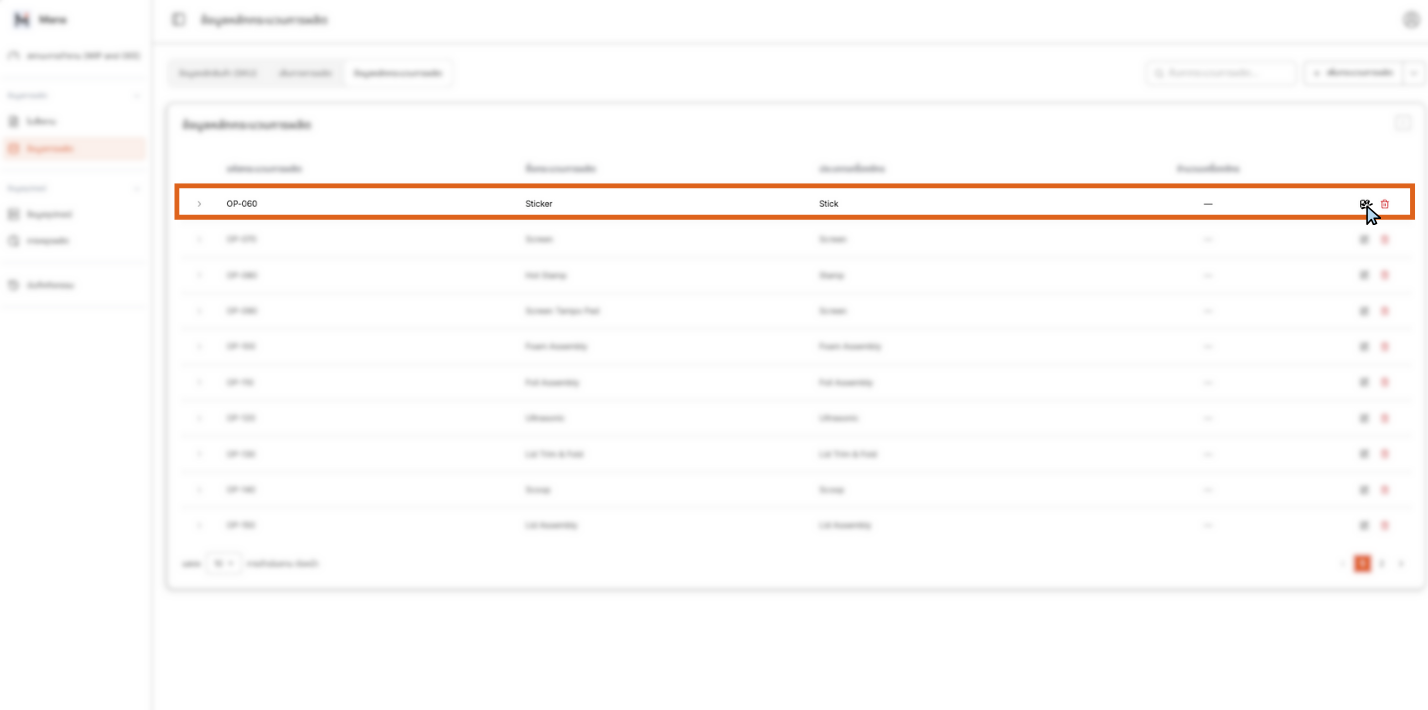
Editing Process Data - Locating and Selecting Process
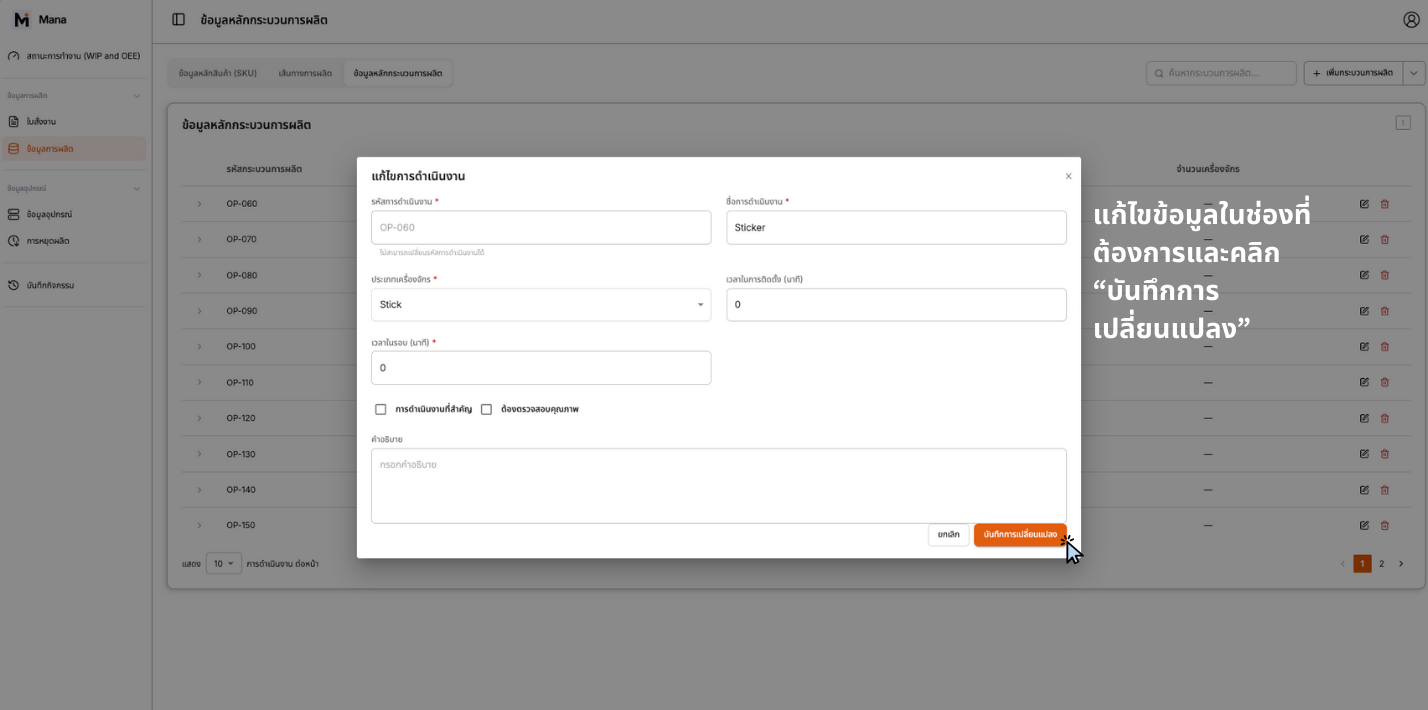
Editing Process Data - Edit Form
- ☑ Navigate to Process Data
- ☑ Locate process to edit
- ☑ Click Edit button
- ☑ Modify process details
- ☑ คลิก "บันทึกการเปลี่ยนแปลง" เพื่อบันทึก
Editing Production Routes (การแก้ไข เส้นทางการผลิต)
Go to ข้อมูลการผลิต (Production Data) > เส้นทางการผลิต (Production Routes).
Find the production route you want to edit and click the Edit button (ปุ่มแก้ไข).
Modify the sequence of steps (Step) as needed.
แก้ไขข้อมูลในช่องที่ต้องการและคลิก "บันทึก"
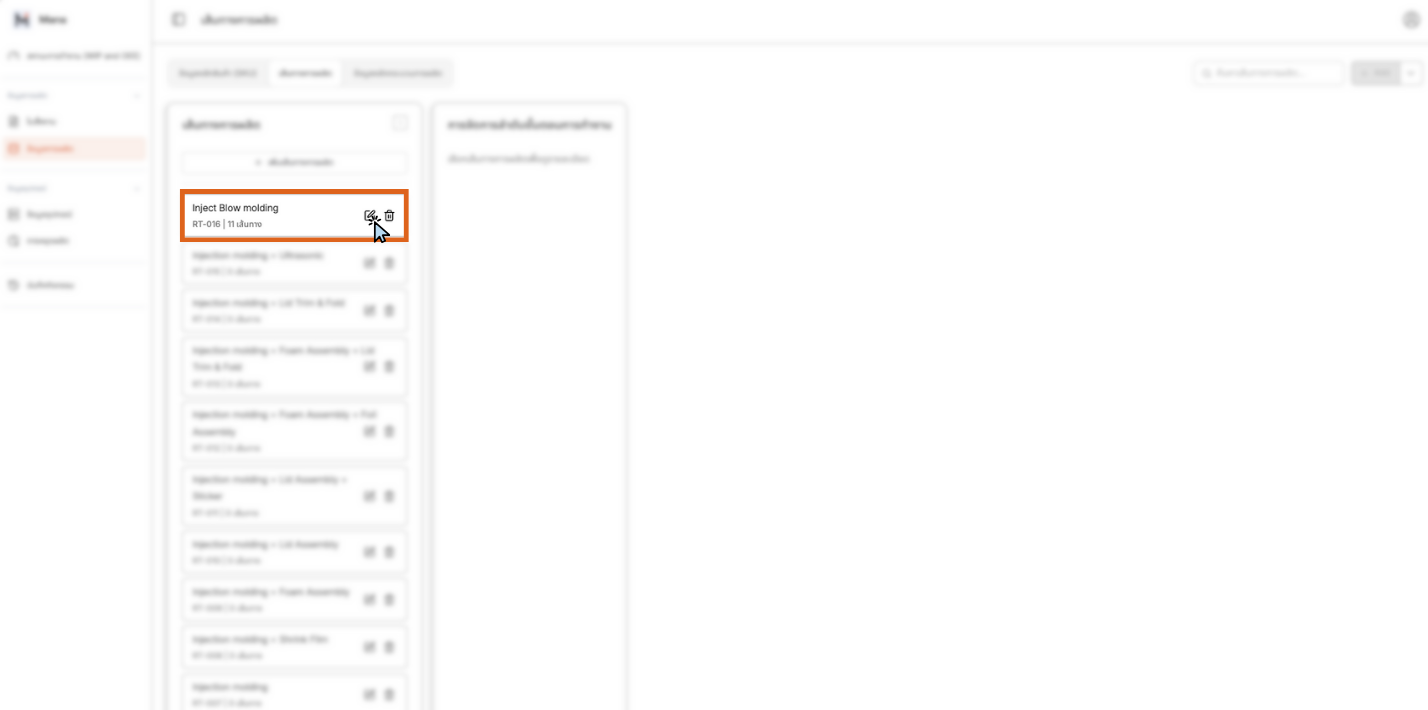
Editing Production Routes - Locating and Selecting Route
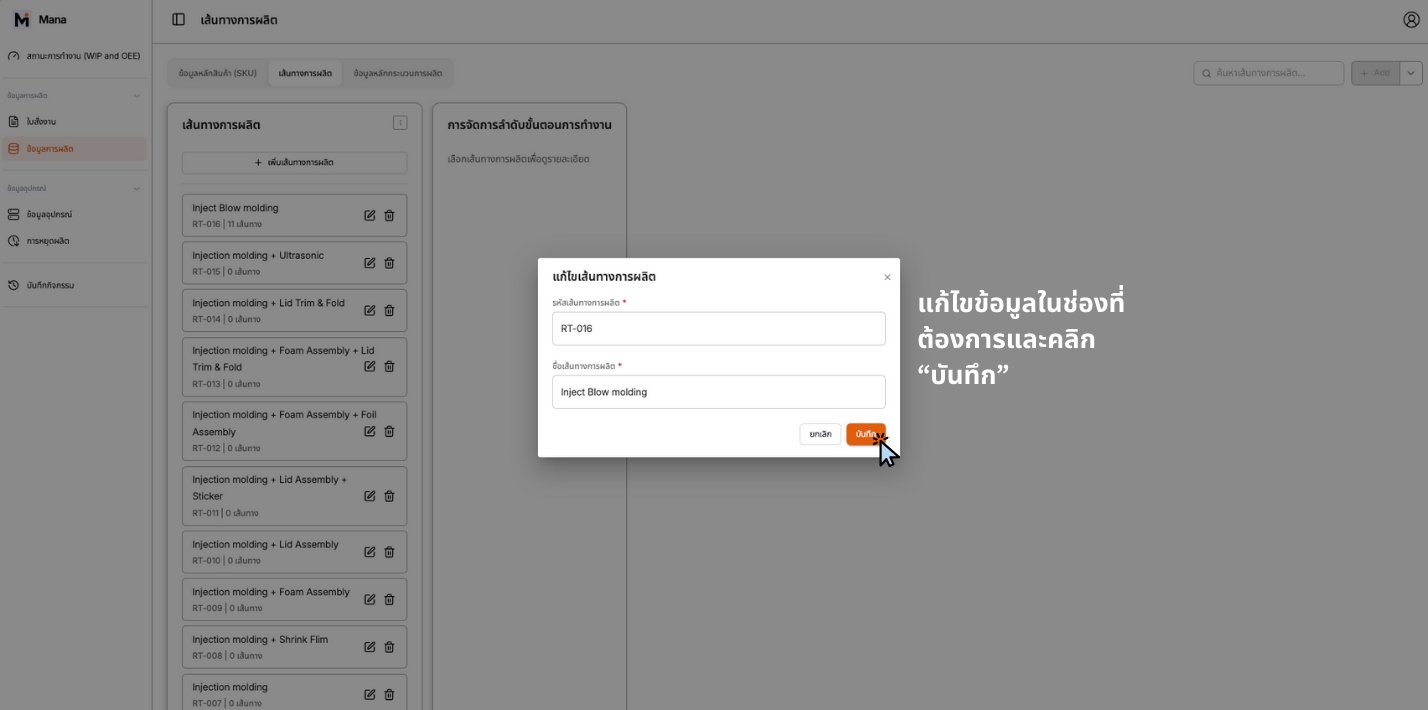
Editing Production Routes - Edit Form
When editing Production Routes:
- • Ensure step sequence is logical
- • Keep steps complete
- • Verify all steps are connected
- ☑ Navigate to Production Routes
- ☑ Locate route to edit
- ☑ Click Edit button
- ☑ Modify step sequence
- ☑ Verify sequence logic
- ☑ คลิก "บันทึก" เพื่อบันทึก
Editing SKU Data (การแก้ไข ข้อมูลหลักสินค้า (SKU))
Go to ข้อมูลการผลิต (Production Data) > ข้อมูลหลักสินค้า (SKU) (SKU Master Data).
Find the SKU you want to edit and click the Edit button (ปุ่มแก้ไข).
Modify the product details (Product Code, Product Name, Unit of Measure) and components.
แก้ไขข้อมูลในช่องที่ต้องการและคลิก "อัปเดต SKU"
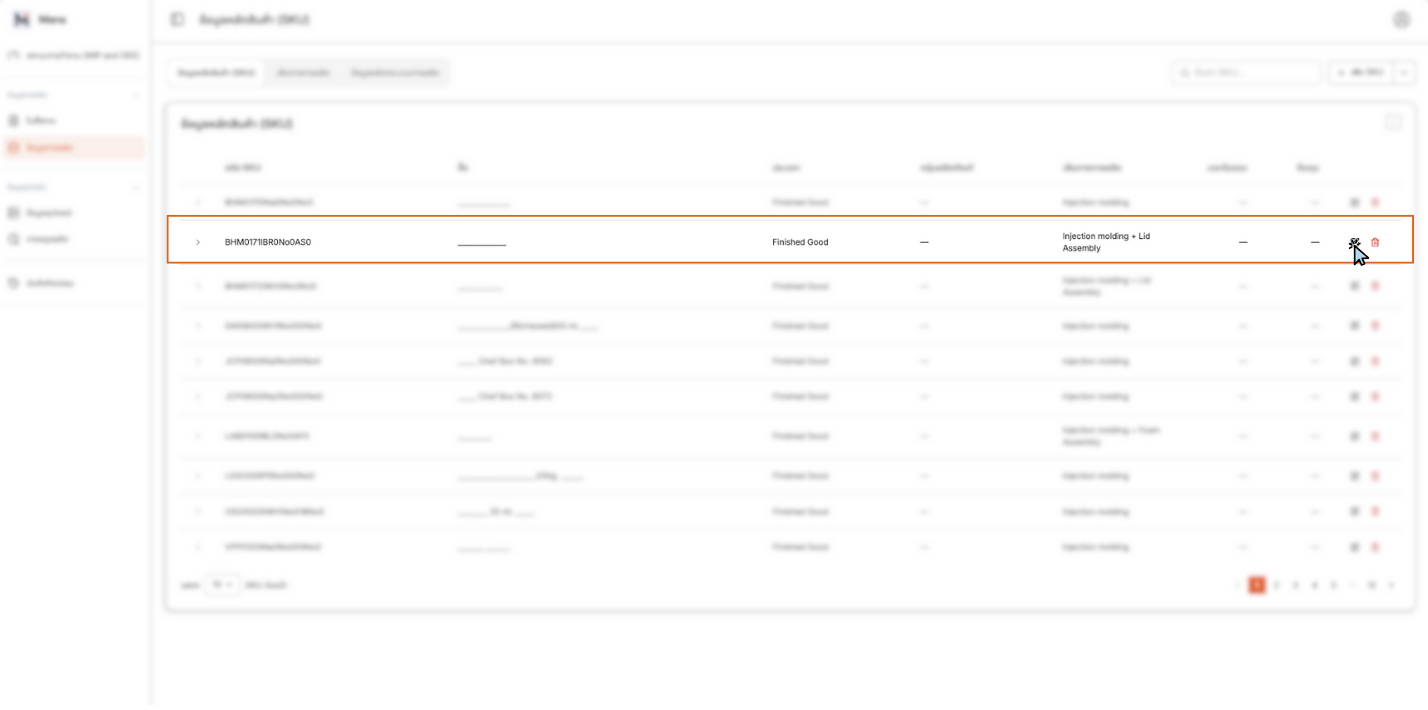
Editing SKU Data - Locating and Selecting SKU
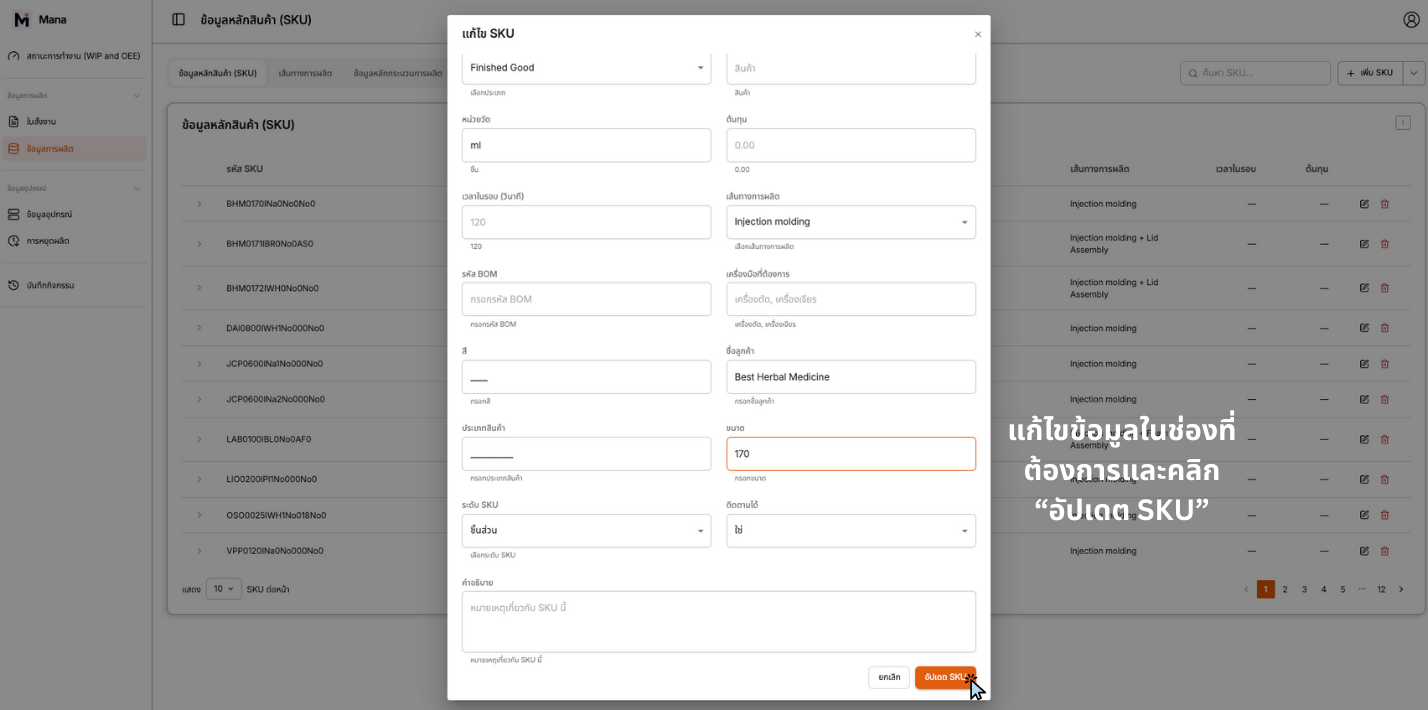
Editing SKU Data - Edit Form
- ☑ Navigate to SKU Master Data
- ☑ Locate SKU to edit
- ☑ Click Edit button
- ☑ Modify product details
- ☑ Update components if needed
- ☑ คลิก "อัปเดต SKU" เพื่อบันทึก
Editing Work Orders (WO)
หากต้องการเพิ่มเติมข้อมูลในใบสั่งงาน หรือมีการสั่งงานผิดพลาด สามารถทำได้ 3 จุดด้วยกัน สามารถลบคำสั่งได้เช่นกัน
Edit buttons available at:
- • Location 1: [Edit Button]
- • Location 2: [Edit Button]
- • Location 3: [Edit Button]
สามารถลบคำสั่งได้เช่นกัน
Edit promptly to avoid production issues
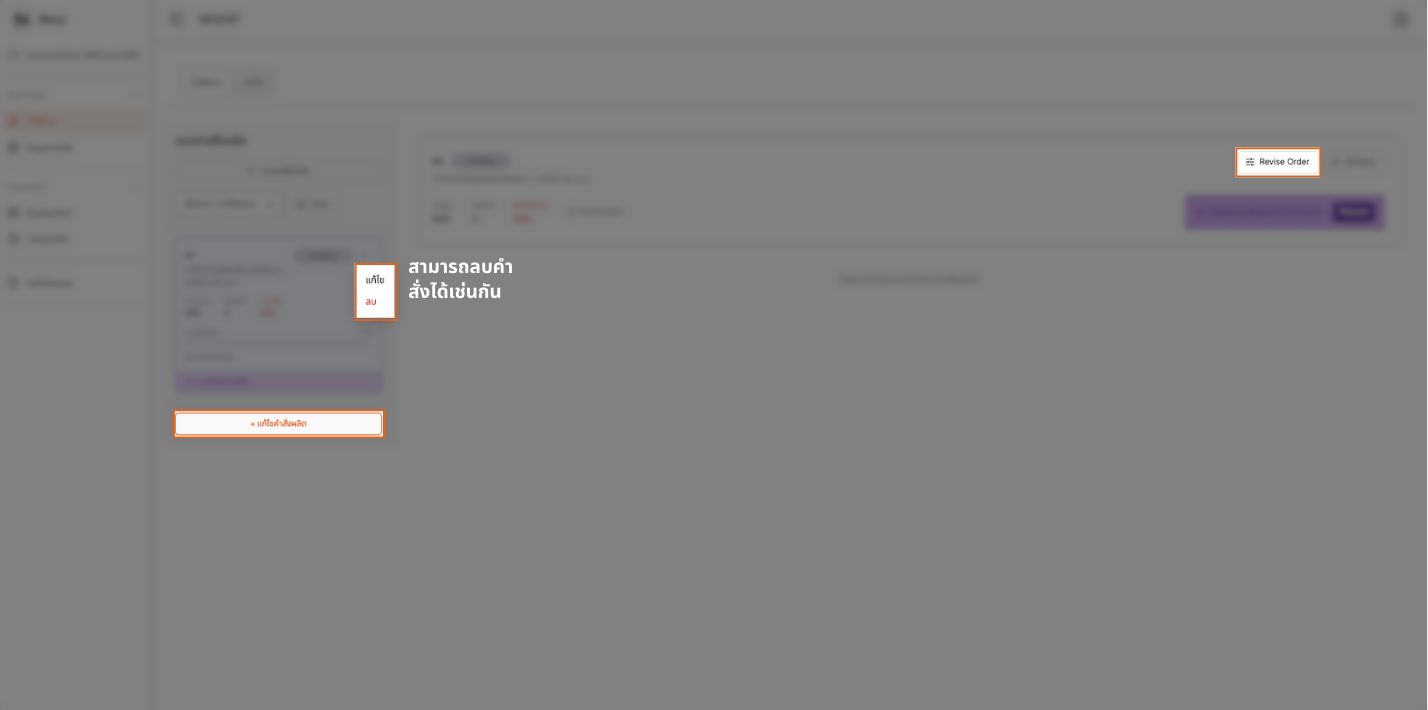
Editing Work Orders - Edit Interface
The manual indicates that work order editing can be done at multiple points. Look for the Edit button in the work order interface to make corrections.
Tips for Editing Data
Bulk Updates
If you need to update multiple items, consider using the Bulk Upload feature with your previously used CSV file. The system will automatically detect and update the data.
Data Integrity
When editing Production Routes, ensure the sequence of steps remains logical and complete.
SKU Components
When editing SKU data, you can add or remove components as needed.
Work Orders
Edit work orders promptly if errors are detected to avoid production issues.